


Registration and login
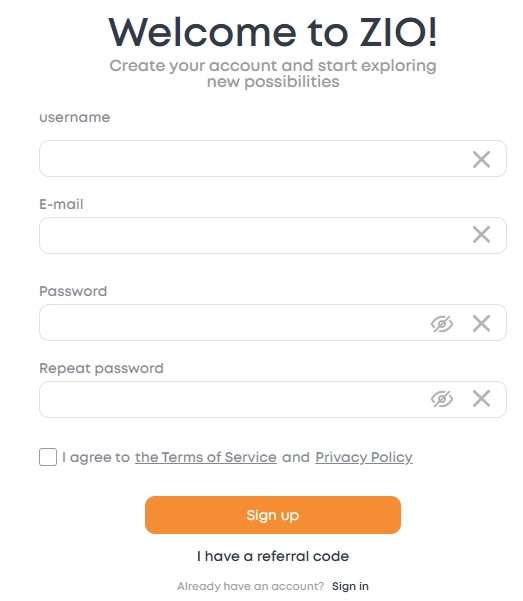
To create an account, you need to fill out a short registration form.: enter your name, email address, and create a password.
Immediately after sending the form, a confirmation email will be sent to the specified email address. You need to open it and click on the link to activate your account.
As long as the link is not confirmed, login will be unavailable — this is protection against accidental registrations and errors in the email address.
Important: you can only register one account for one email address. If you try to re-create an account using the same e-mail address, the system will inform you under the e-mail address field:
"This e-mail is already in use"
In this case, you can log in to your existing profile or use password recovery.
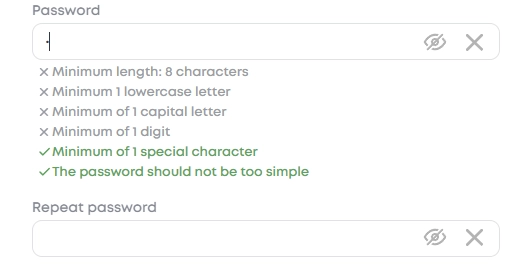
Password Requirements
To prevent account hacking, the password must be secure.
It is recommended to use a password of at least 8 characters long and include:
- uppercase and lowercase letters,
- numbers,
- special characters (for example: !, %, ?, &).
The more diverse the characters and the longer the password, the more difficult it is to crack it.
Log in to your account
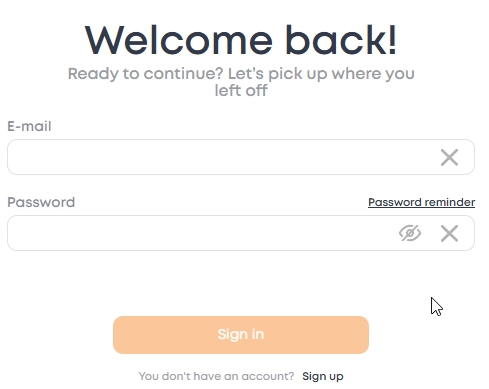
To log in, you must enter your username (username or email address) and password, which were specified during registration.
If an error appears at the login or you forgot your password, you can restore it via the "Remind password" link on the login page.
For more information about password recovery, see Login Issues.
Captcha Passage
1. Hold down the fragment with the left mouse button (or with your finger on the touch screen)
2. Hover over an empty space
3. Release when the fragment "fits" into place